We recently released and open-sourced a CLI tool for Omni with over 100 distinct commands to control many aspects of Omni programmatically. The Omni CLI is a simple, but highly capable tool built for AI agents (and developers).

The first line installs it, the second authenticates, get started in seconds.
Check out this demo by Ernesto on our team for an overview 👇
For the latest on the Omni CLI, check out my recent demo where I share V1 updates, which include some typeahead improvements, parameterization work, and more.
Why build a CLI now #
I’ve been building analytics tools for a long time. Years ago, whenever customers asked for bulk management, I pushed for a CLI. Most people didn’t think it was a priority at the time — CLIs were for a narrow audience: scripting, automation, power users who live in the terminal.
But over the last year, AI changed everything.
My favorite example is GitHub’s CLI: gh. A year ago, I thought it had limited value. Today, I can’t work without it. When Claude needs to interact with GitHub issues or pull requests, gh gives it a semantic shorthand. The agent can grab the right tool without needing to understand raw API calls, and, crucially, I can trivially read what the LLM is doing.
That is exactly why every tool that talks to data needs a CLI. The default interface for work is shifting to "open Claude and ask." A CLI is the semantic bridge to our application. It’s easy for Agents to use and, most importantly, self-discover.
What can you do with it? #
The CLI wraps the Omni API. Here are a few workflows where the difference is immediate.
Ask a data question
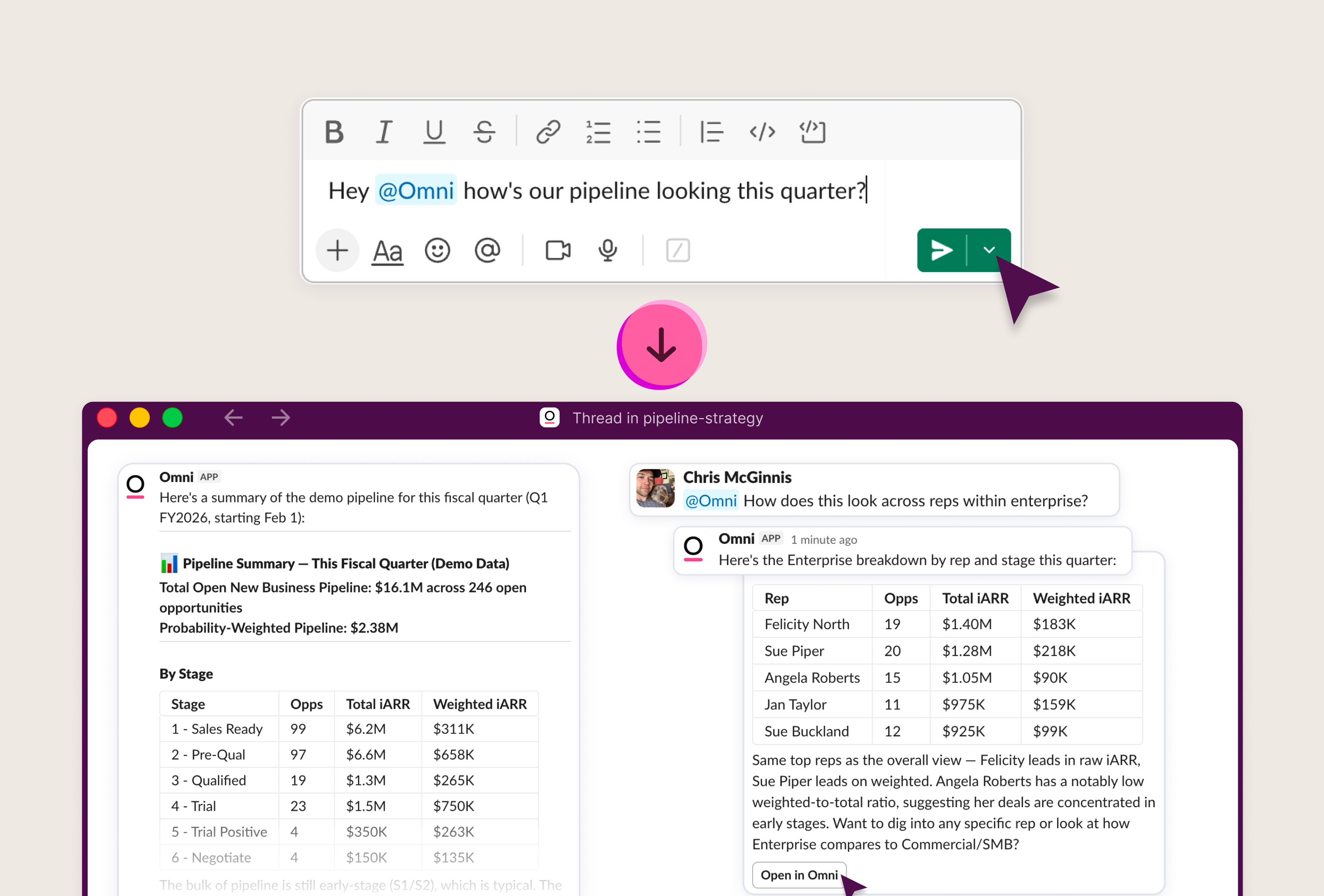
Just ask. The CLI picks the right Topic, selects fields, applies filters, runs the query, and returns results. One command replaces what would otherwise be a series of API calls to resolve a topic, construct a query payload, submit it, poll for completion, and fetch results.

Manage users at scale
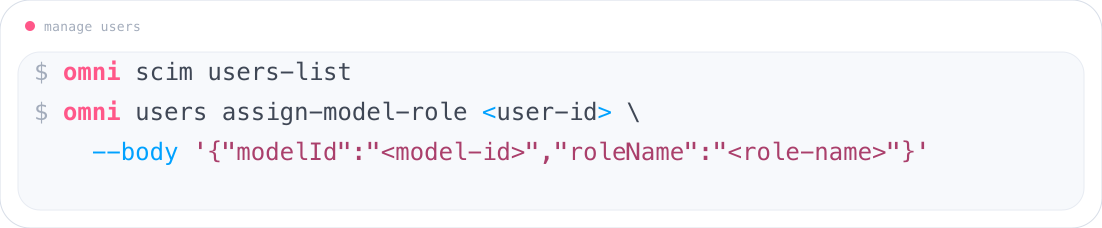
List all users, find the ones you need, update roles, or deprovision accounts. In the UI, that’s clicking through individual user profiles. With the CLI, an agent can handle a batch: "find every user who hasn't logged in for 90 days and set their role to viewer."
Iterate on the semantic model
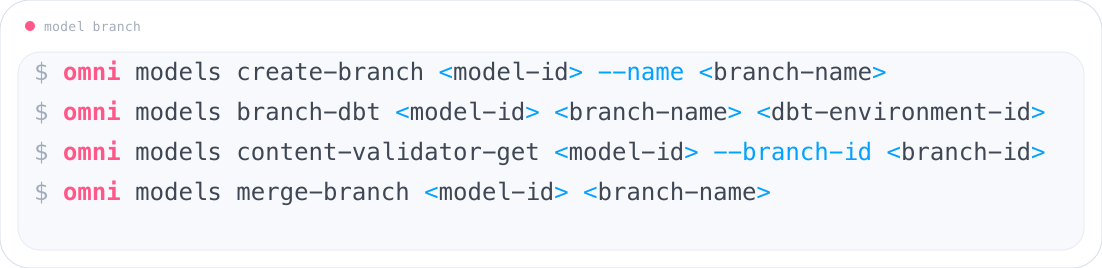
Branch a model, add fields, validate the changes, and merge. Tell an agent to do this, and it runs the sequence without needing to know where anything lives in the UI.
Manage content and schedules
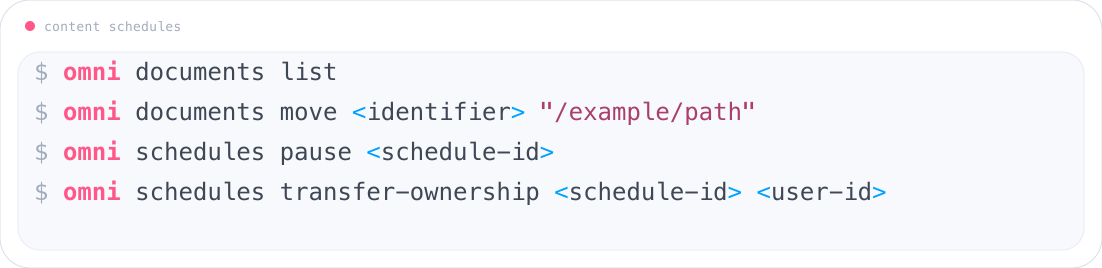
List every dashboard in the org, download one for local review, pause a schedule that is firing too often, or transfer ownership when someone changes teams. Each is a single command that replaces multiple UI clicks or a raw HTTP request with authentication headers, pagination tokens, and JSON payloads.
Switch between environments
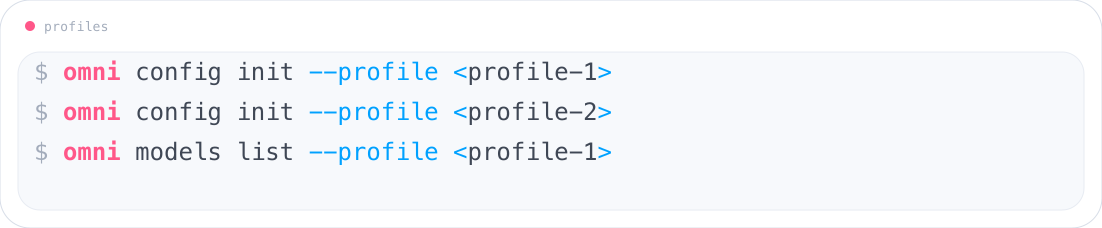
If you work across multiple Omni instances or API keys, the CLI manages named profiles. Switching is a flag, not a re-authentication.
What going from API to CLI unlocks #
The interesting technical story isn’t even the CLI itself. It’s the API underneath it.
Corey Ruderman on our engineering team did the initial heavy lifting to make Omni's API fully self-documenting via OpenAPI. Nearly every endpoint, parameter, and response shape is captured in a single, machine-readable manifest that stays current as the platform evolves.
We built the CLI on top of it as a self-generating tool. The CLI reads the API, understands what’s available, and generates commands automatically. When new endpoints are added, they show up in the CLI without extra work.
But it’s not just a direct mapping. The CLI also composes multi-step workflows into single commands and adds structure that makes it easier for agents to use. That combination is what makes the CLI useful. You get full coverage of the platform, plus a simpler, more semantic way to interact with it. You can see all the possibilities across the 16 different command groups in the documentation.
Built-in governance #
Agents aren’t useful if they can’t act safely. The CLI works because it sits on top of Omni’s semantic model and permission system, so every action is both correct and governed.
Role-based access control, row-level security, and audit logging are all enforced at the platform layer, not the client layer. Personal access tokens inherit the creating user's permissions, which means the agent sees exactly what the user sees — nothing more.
We didn’t have to reinvent that wheel. We also open-sourced the CLI so the community can contribute, inspect the code, and validate that it does exactly what they expect.
What surprised us #
Right after I built the Omni CLI, a colleague tried something I wasn’t sure would actually work.
They opened Claude and typed: "use the Omni CLI to answer this data question.” That was it. Claude read the docs, figured out the commands, ran a query against our production data, and returned the correct result — with all governance enforced.
What surprised me wasn’t just that it worked. It’s that nothing about this behavior was explicitly programmed.
But the bigger surprise came from more internal testing. When we switched from raw API calls to the CLI, agents became more reliable and used significantly fewer tokens.
Structured, semantic commands reduce the problem space. Fewer decisions, fewer ways to go wrong.
As I mentioned, the team built Agent Skills on top of the CLI: reusable task definitions that let agents perform common workflows without starting from scratch each time. Skills are compatible with Claude Code, Cursor, Codex, Snowflake’s Cortex Code, Gemini CLI, and GitHub Copilot. They use the CLI as their execution layer, which means they inherit the same governance and the same automatic capability growth.
Get started #
You can find the CLI here.